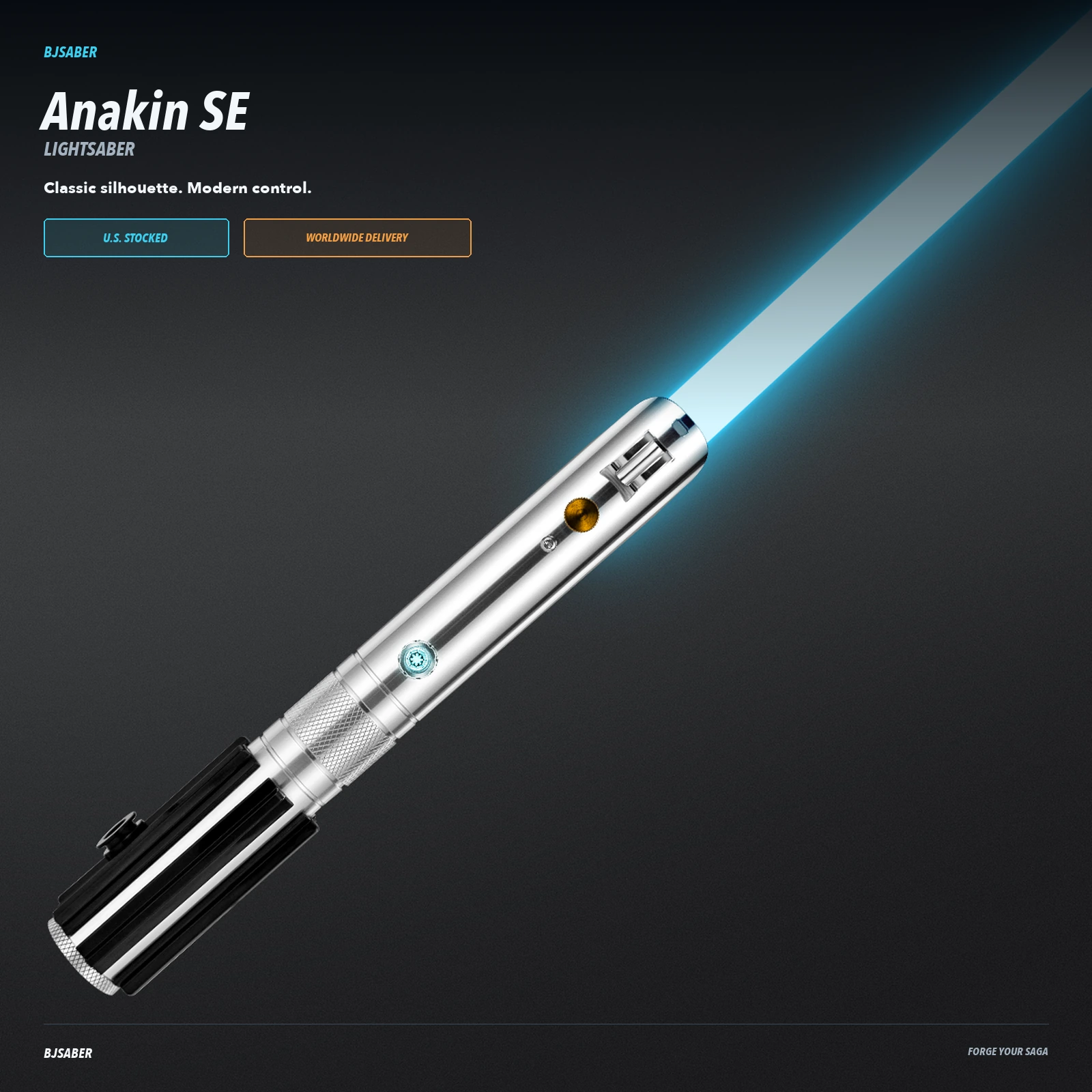
Anakin SE Lightsaber
Price range: $175.00 through $195.00
A polished hero-inspired hilt with Bluetooth app control, responsive motion gestures and a choice of dueling-focused XRGB or effect-rich XENO electronics.
Description
A familiar silhouette, refined for your collection.
Polished metal, a textured black grip and responsive controls give the Anakin SE a confident presence in hand.
Built around a recognizable hero-inspired profile, this saber balances display-ready detailing with modern electronics. Choose the core that fits how you plan to use it; the hilt, motion controls and connected app experience remain consistent.

The hilt, in detail
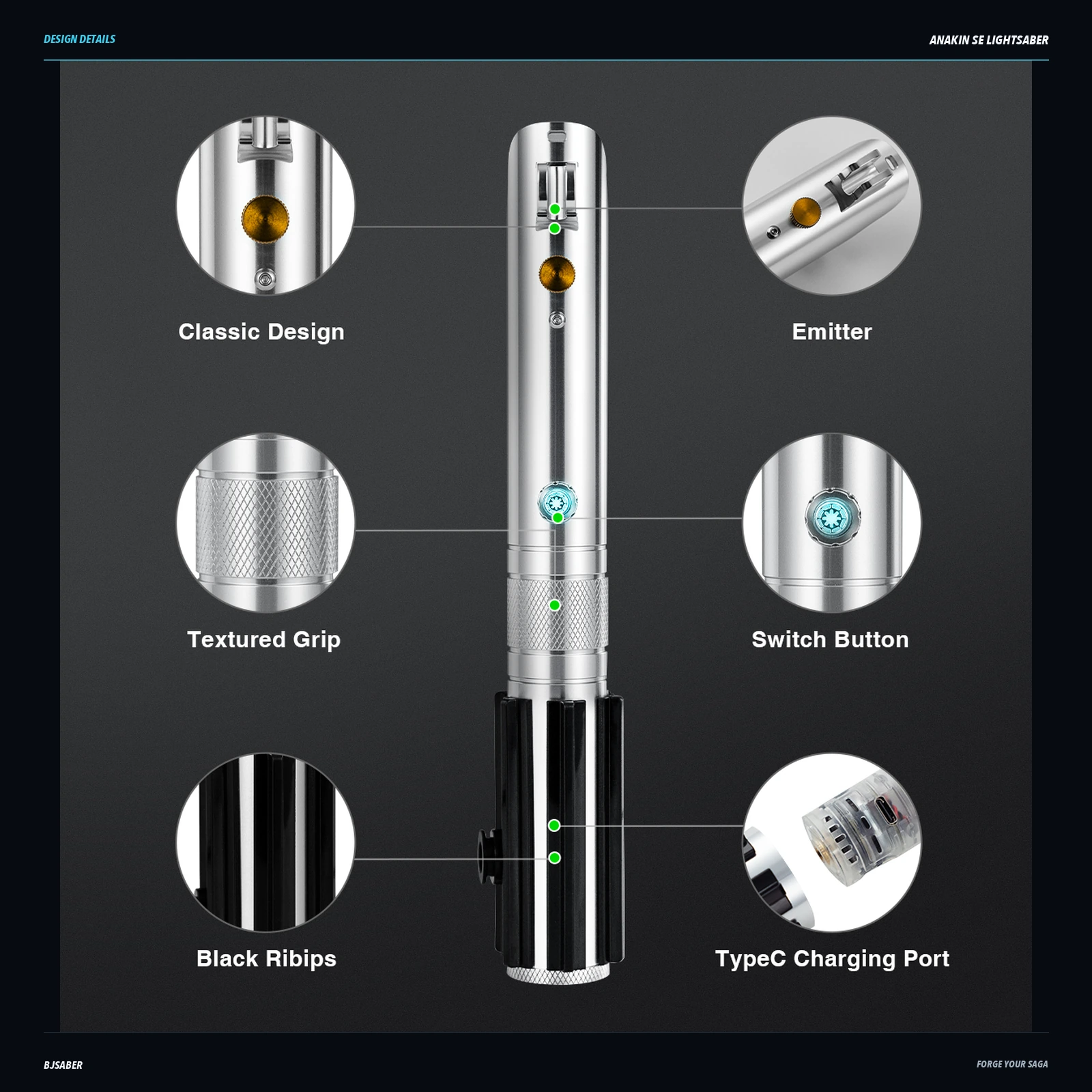
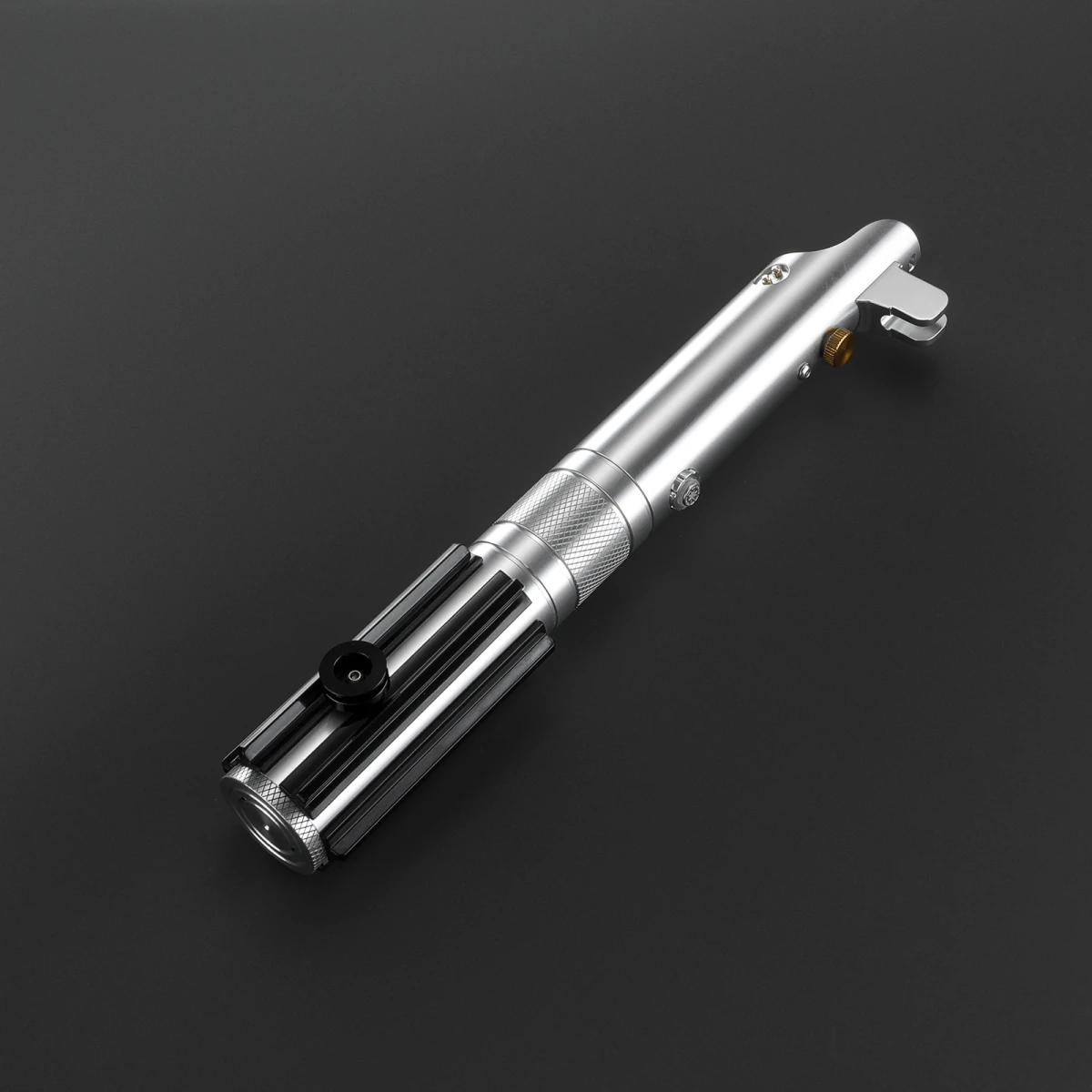
- Polished silver body with black longitudinal grip rails
- Diamond-patterned central collar and textured pommel rim
- Gold-tone round knob and separate silver button
- Angled emitter with a raised silver bracket
Choose your core
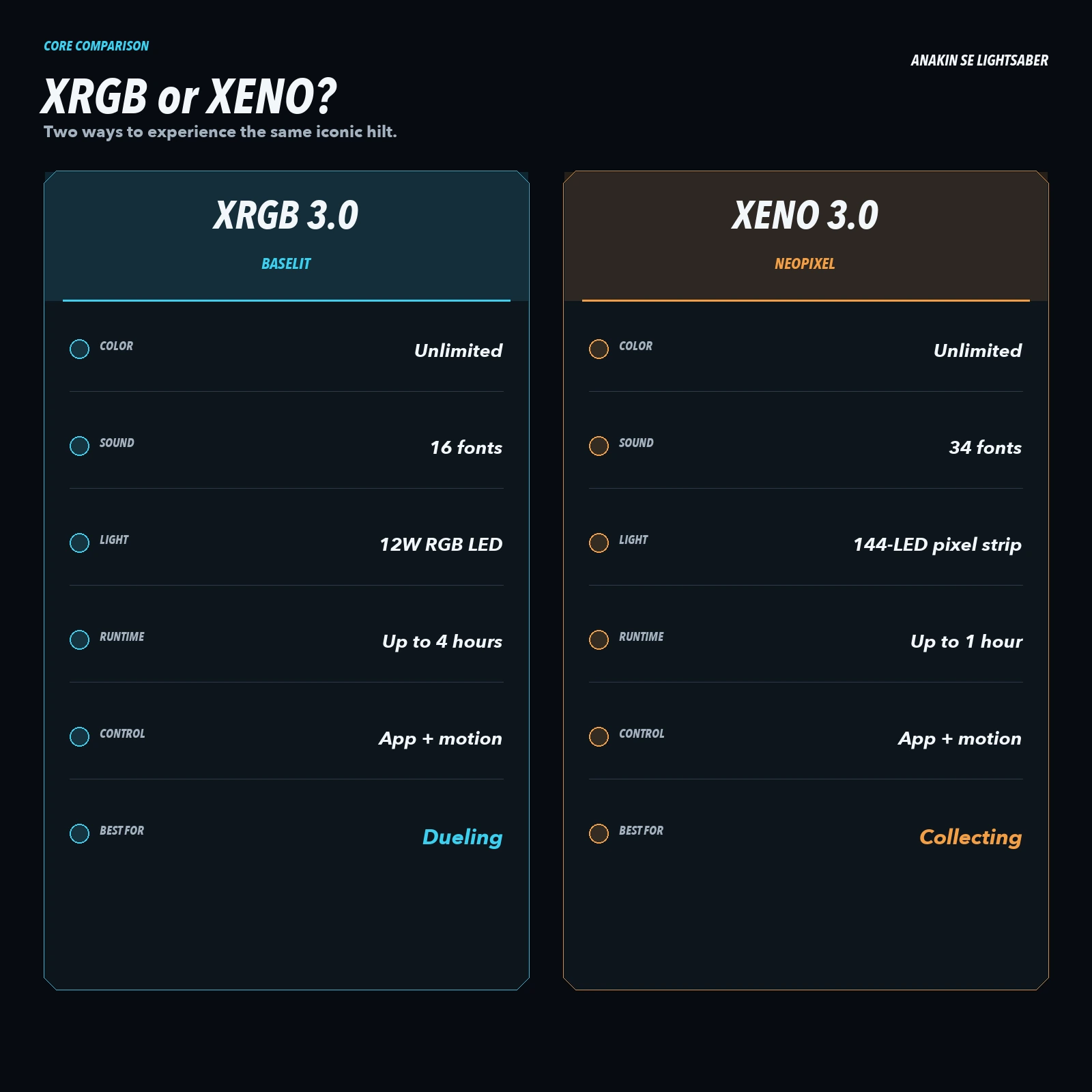
XRGB 3.0 · Baselit
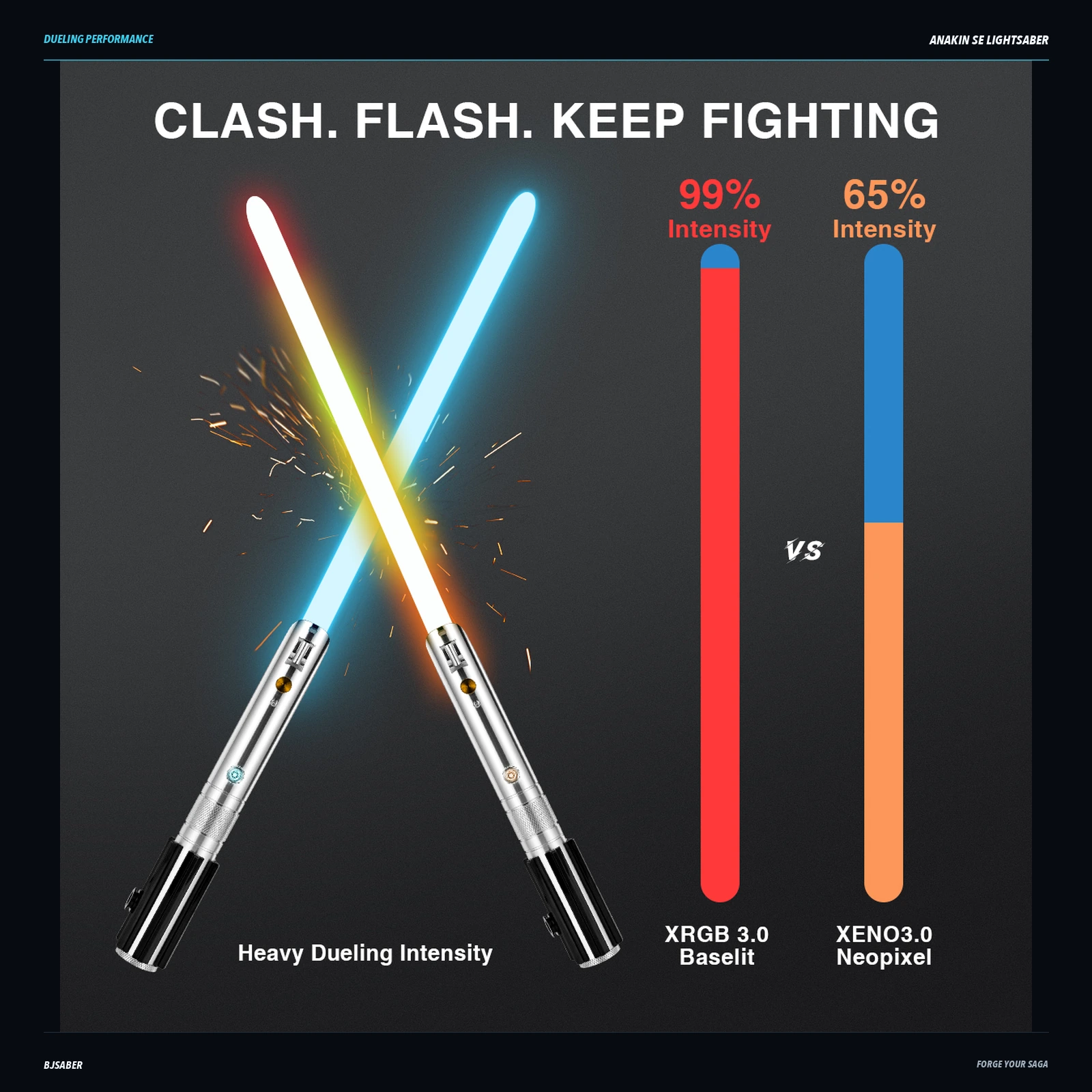
An LED inside the hilt lights a hollow blade. A practical choice for training and choreography.
- Lighting
- 12W RGB LED in the hilt
- Sound fonts
- 16 pre-installed
- Battery (per hilt)
- 3000 mAh
- Blade effects
- 3
- Blade color
- Unlimited colors
XENO 3.0 · Neopixel
LEDs along the blade create scrolling ignition and detailed lighting effects for collecting and display.
- Lighting
- LEDs along the blade
- Sound fonts
- 34 pre-installed
- Battery (per hilt)
- 3600 mAh
- Blade effects
- 8
- Blade color
- Unlimited colors
Control your saber
Everyday control, on the hilt
Most everyday functions are also available through the hilt’s button controls, so a continuous app connection is not needed for regular use.
Fine-tune with the app
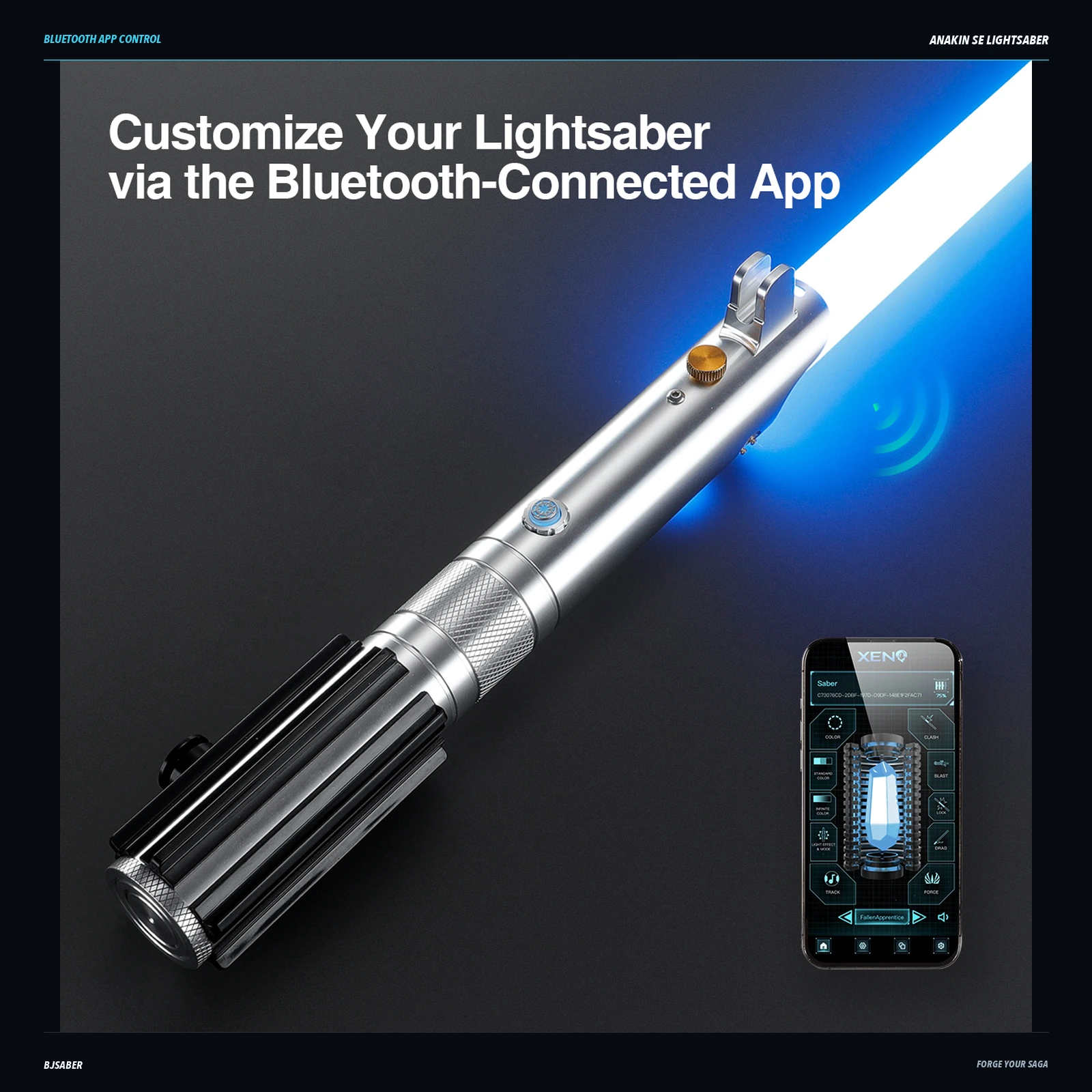
Both versions support smooth-swing sound, selectable blade colors, gesture controls and Bluetooth app control through Xeno Configurator.
Specifications
- Main blade diameter
- 1 in
- Charging
- USB-C
- Charge time
- 2–4 hours
- Main blade length
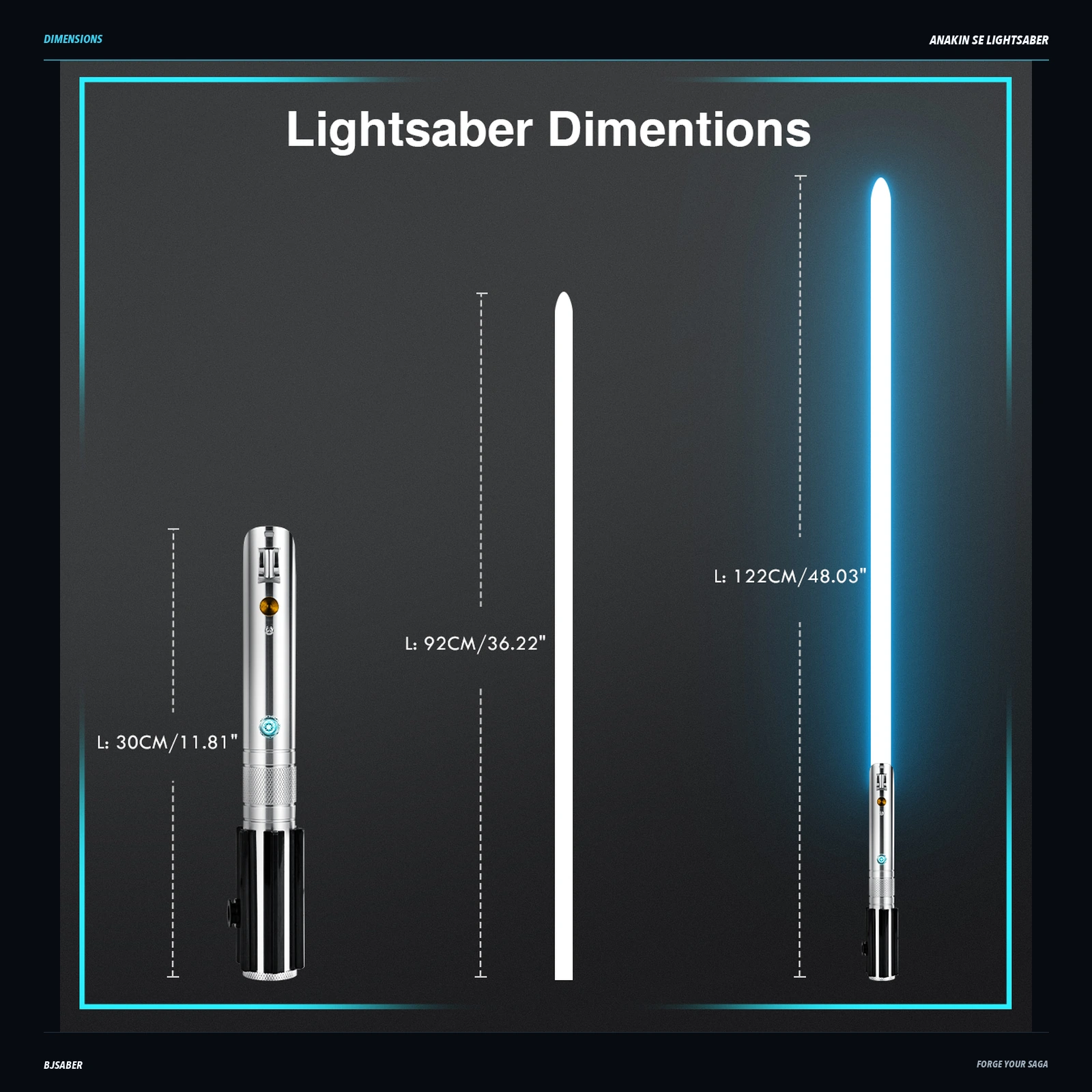
- 92 cm
- Main blade material
- Polycarbonate
- Main blade
- Removable
- Battery (per hilt)
- 3000 mAh (XRGB) / 3600 mAh (XENO)
In the box
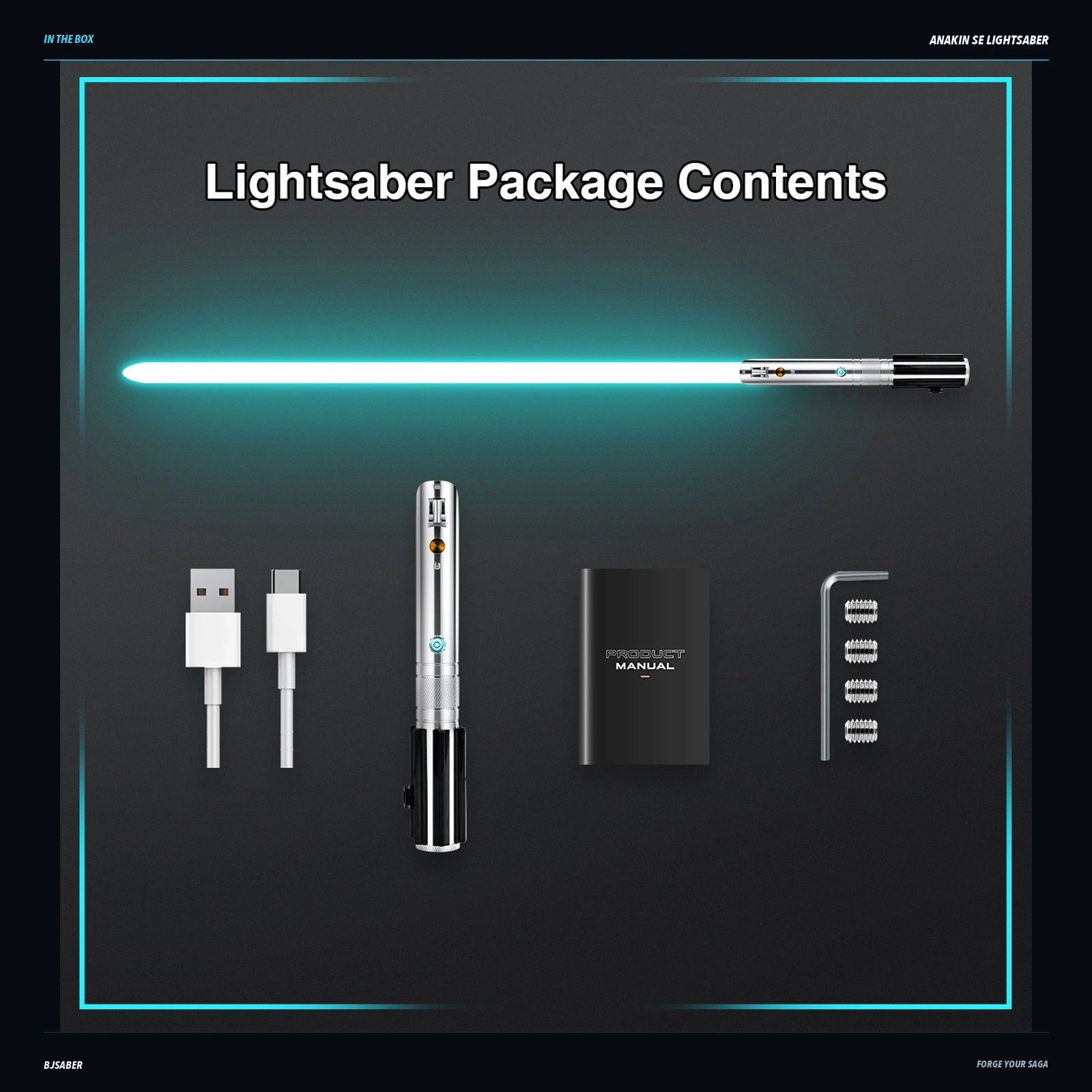
- Anakin SE saber hilt
- Illuminated blade
- USB-C charging cable
- Product manual
- Hex key
- Retention screws
Made for your moments
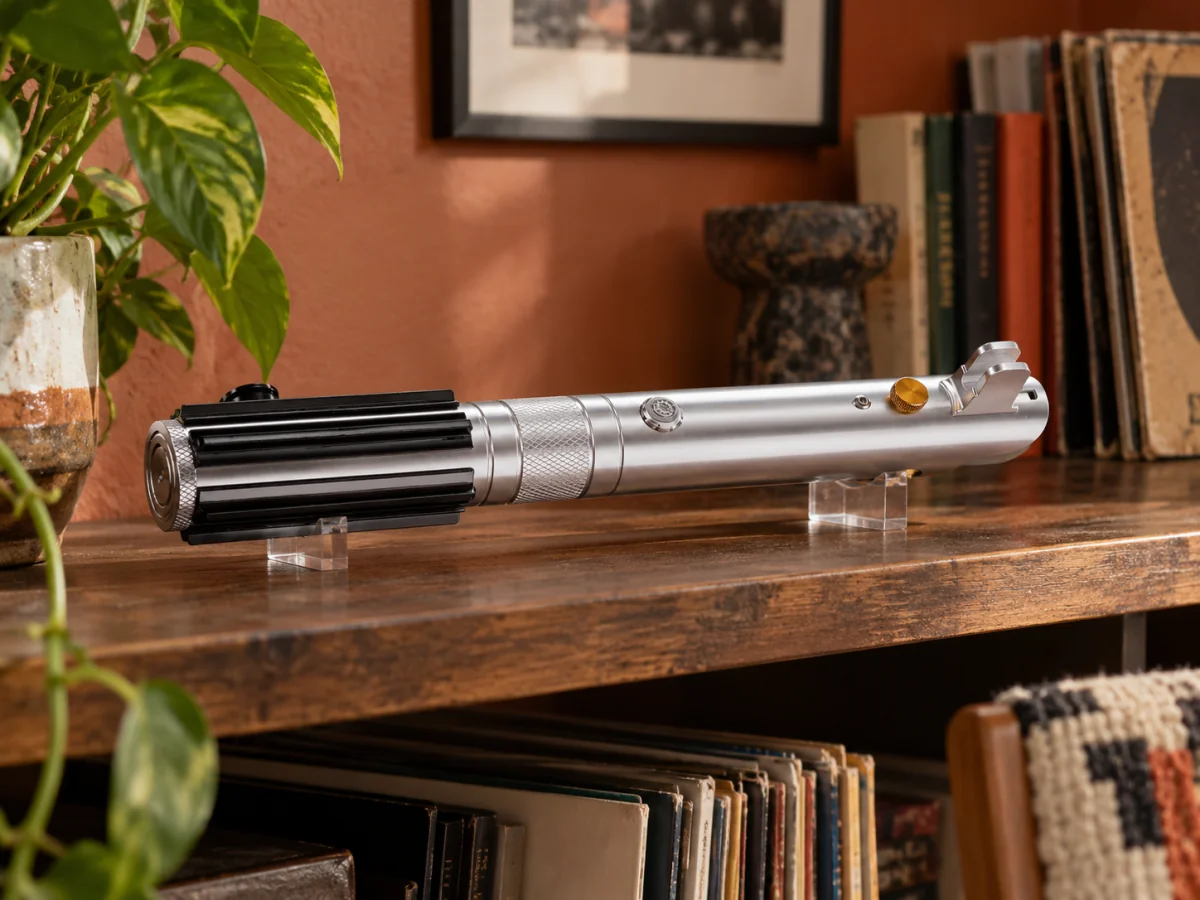
For your collection
Give Anakin SE Lightsaber a place on your shelf and enjoy its details every day.

Complete your cosplay
Make it part of your own character, from costume events to your next photoshoot.

Practice & choreography
Enjoy non-contact choreography and illuminated performances. Choose your configuration to suit your plans.

A gift with presence
Choose a configuration that suits their interests, from collecting to colorful performances.
Lifestyle scenes are AI-created illustrations. Display stands, gift wrapping and room accessories are not included unless listed in the box contents.
Delivery & support
Delivery
Shipping options and charges are shown at checkout. Dispatch timing depends on the selected configuration, inventory availability and fulfilment location.
Warranty & support
For warranty questions or product support, contact BJSABER with your order number and a description of the issue. Coverage is subject to the product’s applicable warranty terms.
Before you ignite
What is the difference between XRGB and XENO?
XRGB Baselit lights the blade from an LED inside the hilt. XENO Neopixel places LEDs along the blade for scrolling ignition and detailed effects.
Do I need to keep the app connected?
No. Most everyday functions are available through the hilt’s button controls, so a continuous app connection is not needed for regular use.
How should I charge and care for it?
Use the supplied charging cable and the power source specified in the product manual. Keep the electronics dry and follow the supplied care instructions.
Does the saber support motion and app control?
Yes. Both core options support gesture controls and Bluetooth app control for blade color, sound and effect settings.
QUESTIONS & ANSWERS
Before you choose.
Common questions about this saber.
Pull-Push On/Off: how does it work, and what's the best sensitivity?
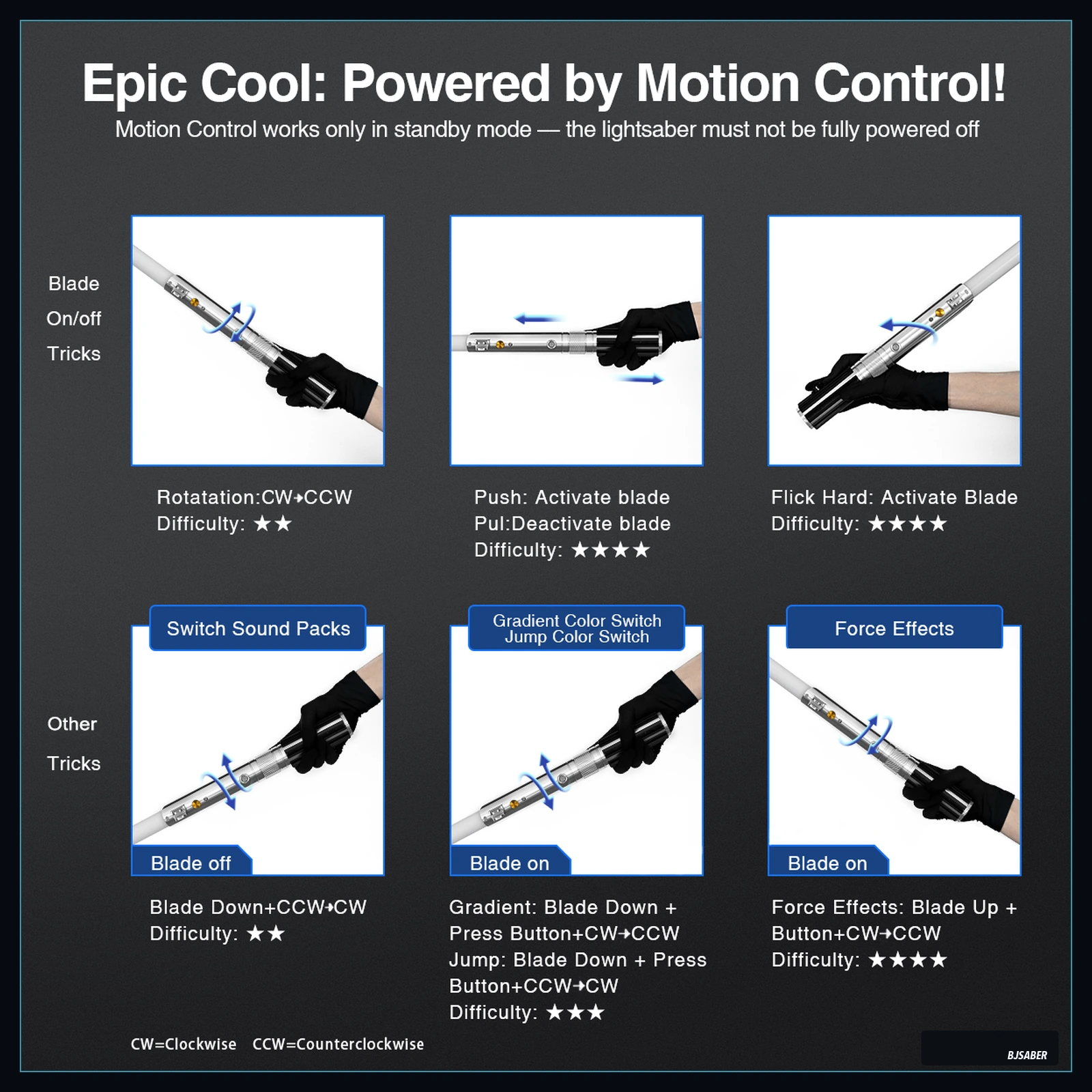
When the saber is off, quickly pull the hilt toward you and push it away — this ignites the blade. The same motion extinguishes it. Sensitivity default: 18 for ignition, 13 for extinguish. Lower = harder to trigger accidentally, higher = easier to trigger.
Read full answerTwist On/Off: how does it work, and what's the best sensitivity?
When the saber is off, twist the hilt clockwise then counter-clockwise to ignite. The same motion extinguishes it. App default sensitivity is 500 for ignition, 780 for extinguish. Higher sensitivity is more sensitive.
Read full answerHow do I first connect my saber to the app?
Turn on the saber, open the Xeno Configurator app, tap "Connect the saber" on the welcome screen, allow Bluetooth, and the app will find your saber. Tap to pair, and your saber will appear in "My Saber" once connected.
Read full answerSwing On: how does it work, and what sensitivity should I use?
When the saber is off, swing the hilt in a quick motion to ignite. Ignition only — there is no "swing off" (use Pull-Push or Twist to extinguish). Default sensitivity is 500 out of 0-1000. Higher = more sensitive to smaller swings.
Read full answerWhy does the app ask for location permission on Android?
Android requires Location permission to scan for nearby Bluetooth Low Energy (BLE) devices. The Xeno Configurator app does not collect or use your location data — it only needs the permission to discover your saber.
Read full answerMore questions? Read the full Saber Field Manual
Related products
-
Kylo Ren Crossguard Inspired Lightsaber
Price range: $199.00 through $259.00Select options This product has multiple variants. The options may be chosen on the product page -
Classic Hero Graflex Lightsaber
Price range: $195.00 through $260.00Select options This product has multiple variants. The options may be chosen on the product page -
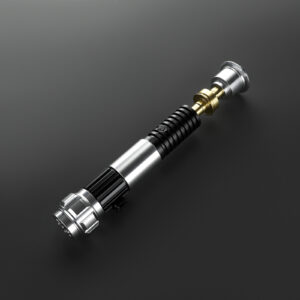
Obi-Wan SE Lightsaber
Price range: $159.00 through $195.00Select options This product has multiple variants. The options may be chosen on the product page -

First Oath light saber
Price range: $329.36 through $389.36Select options This product has multiple variants. The options may be chosen on the product page